Runs in your browser.
WebGPU models download once and run fully on-device: private, free, offline-capable. Your inbox and files never touch our servers.
Your model, your choice: run it in your browser or bring your own Claude, GPT, or Gemini key. It connects to your apps, works on your files, holds a wallet you control, and asks before anything leaves.
50+ models · 10+ integrations · any MCP server · your own skills
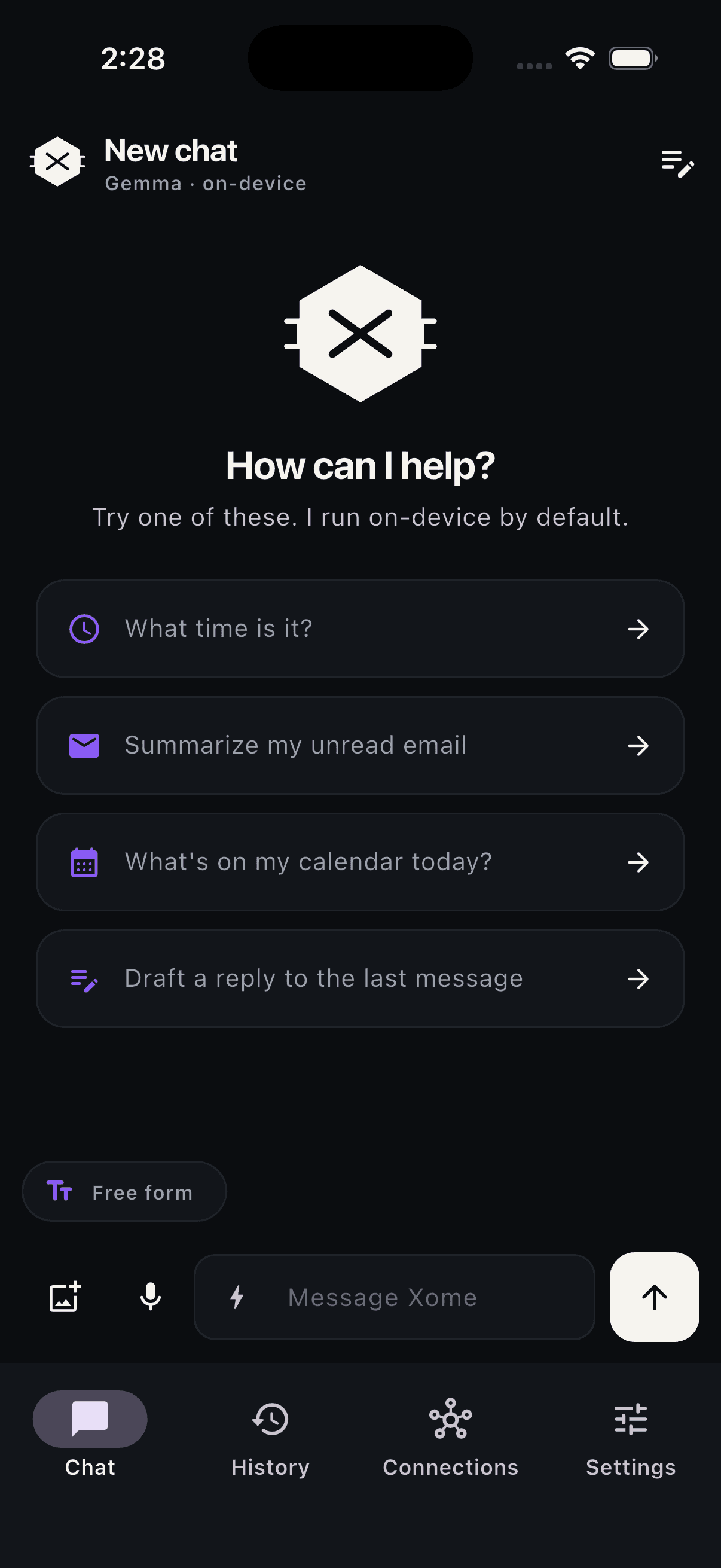
Most AI is a chat box pointed at someone else's cloud. It doesn't read your email. It can't post to Slack. It won't touch your files or your money. It forgets you the moment you close the tab.
Xome is different by design. Pick your brain per task: a model running right in your browser, or your own Claude, GPT, or Gemini key. It connects to the apps you actually use, works on folders you pick, holds a Solana wallet only you control, and takes action with your permission. Teach it your workflows once with skills, and organize everything into workspaces per project.
"It's the first agent where I can watch the plan, approve the writes, and keep everything in my own browser."
03 · HOW IT THINKS
Every turn is a small loop. The agent plans the next step, picks a tool, calls it, looks at the result, and decides whether to keep going.
No magic. No hidden waterfall of LLM calls. Just a tight loop you can pause, audit, and approve at every write.
When a step needs a bigger model, the loop seamlessly hops to your cloud key and back, your data never sits on our servers.
04 · FEATURES
WebGPU models download once and run fully on-device: private, free, offline-capable. Your inbox and files never touch our servers.
Plug in Claude, GPT, or Gemini for heavy tasks. Your key stays in your browser and rides out per request, never stored.
Gmail, Calendar, Slack, Notion, GitHub, plus local folders you pick. Real OAuth, real scopes, real writes.
Read freely. Write only with consent. You see the tool, the args, and a one-tap decline. Money always asks.
Point it at any MCP server and its tools become Xome's tools. Open ecosystem.
Write a skill once in plain Markdown. It activates by phrase or /command, and shares as a link.
Multi-step tasks show a live checklist. Runs keep going in the background while you work on something else. Documents arrive as downloadable artifacts.
Attach a screenshot or photo and vision-capable models read it.
Separate workspaces for work, side projects, and life. Tasks stay organized where they belong.
Read every tool definition, self-host the whole thing, or ship your own MCP server.
Non-custodial Solana wallet built in. Check balances, send, and swap via Jupiter. Signed in your browser; we never hold keys.
Powered by MagicBlock. Transfers settle inside a hardware enclave, and an on-chain policy caps what the agent may spend. Break the cap and the chain refuses.
Live now at app.xome.bot. iOS and Android apps are built and heading to the stores.
05 · CONNECTS TO
// and anything that speaks MCP →06 · PRIVACY
Everything you'd worry about lives in your browser: conversations, memory, API keys, connection tokens, even your wallet. On-device models never send a byte anywhere.
When a task needs cloud, you bring your own key. Claude, GPT, Gemini: your provider, your bills, your audit log. The key rides out per request through a stateless proxy and is never stored.
We don't keep a copy. We never see your messages. There is no database on our side to breach, subpoena, or sell.
databases with your data
of storage in your browser
your bills · your wallet · your control
07 · POWERED BY MAGICBLOCK
Every ordinary Solana transfer is a permanent public record: the amount, the recipient, the exact second. That is a strange property for an assistant that settles invoices, splits a bill, or pays a contractor for you.
Xome moves those payments inside a MagicBlock Ephemeral Rollup running in a hardware enclave. Balances and transfers stay confidential, readable only by the wallet that owns them. Deposits and withdrawals remain public, the traffic between them does not.
The same rollup carries the agent's leash. Your spending caps live in a Solana program, and every payment has to record itself there first. Break a cap and the chain refuses, before any money moves. Writing to the rollup is free and takes milliseconds, which is the only reason checking on every single action is practical.
to check a spend against your policy
for every policy check on the rollup
limits the agent can read but never raise
08 · UNDER THE HOOD
All of it runs client-side, backed by stateless proxies. None of it is magic. All of it is open source.
09 · WHERE THIS IS HEADED
Agent core: the plan/call/reflect loop, provider abstraction, consent gate.
Gmail, Calendar, Slack, Notion, GitHub. Full read plus scoped, approved writes.
Any MCP server becomes tools. Keyless search, fetch, weather, and more.
Live at app.xome.bot: on-device WebGPU models or your own cloud key.
Non-custodial Solana wallet: balances, sends, swaps via Jupiter, .sol names.
Skills, workspaces, background runs, plans, artifacts, folder access.
iOS and Android apps to the App Store and Play Store.
MagicBlock rollups: confidential transfers and on-chain caps on agent spending.
Trading agents, prediction markets, perps, and tokenized real-world assets.
10 · COMMON QUESTIONS
The app and on-device models are free. Cloud models cost what you pay your provider; we never see your bills.
No. Conversations, memory, keys, tokens, and your wallet live in your browser's storage. There is no Xome server with your data on it.
Curated WebGPU models (Qwen, Llama, Gemma, Hermes) from about 1 GB up. They download once, cache, and then work offline. Needs Chrome or Edge.
Use a cloud model with your own API key. Claude, GPT, and Gemini are supported, and you can switch per task.
Yes. The embedded Solana wallet signs transactions in your browser. We never hold, see, or can recover your keys or funds, and every send or swap shows an approval sheet first.
Yes, with admin-approved OAuth. We don't ask for any scope you wouldn't grant a normal client app.
Yes, two ways: point Xome at any MCP server and its tools appear, or teach it repeatable workflows with skills in plain Markdown.
Yes. The web app is on GitHub. Clone it, read every tool definition, and self-host the whole thing.
The web app is live now at app.xome.bot. iOS and Android are built and heading to the stores; join the waitlist for the launch invite.
No signup. No install. Your data stays in your browser.
join the waitlist for the mobile launch · one email when it ships